Convert Pages to Word in seconds
Convert Pages to Word in seconds
Convert Pages to Word in seconds, fully compatible with .docx.
Perfect for sharing docs with Windows users, clients, or teachers.
Works instantly in your browser.
No sign-up. Free and secure.
Like this tool? Setapp’s got 300+ more. Get 25% off your first Mac + iOS month.
or drop document here
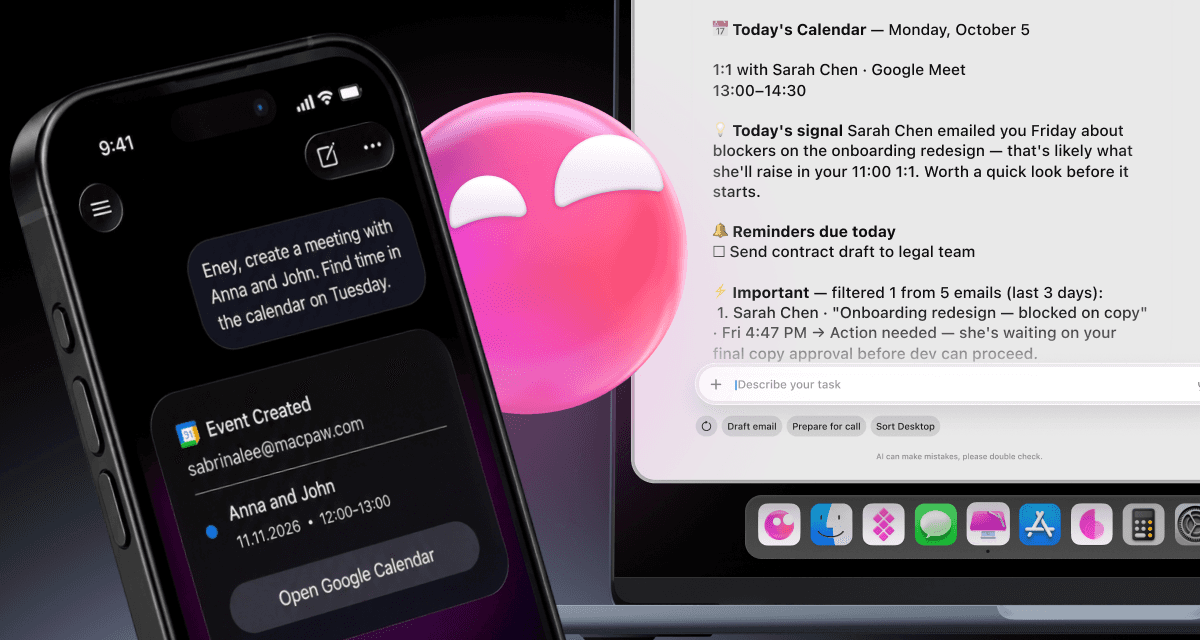
Keep more time for the work only you can do with Eney, a proactive AI assistant.


Keep more time for the work only you can do with Eney, a proactive AI assistant.
How to convert Pages to Word
How to convert Pages to Word
1
Open the Pages to Word converter.
2
Сlick the upload button, or drag and drop your Pages file.
3
Wait a few seconds while we convert Pages to Word for you.
4
Download your converted Word file.
Why choose our Pages to Word converter
Turn Pages into Word in seconds, no extra cost
Keep your fonts, layouts, and styles just right
Runs safely in your browser
Completely free to use, with zero ads or registration
Why choose our Pages to Word converter
Why choose our Pages to Word converter
Features and supported formats
Features and supported formats
File size limit:
Up to 100MB
Input format:
Pages
Output format:
Word, PDF, TXT, EPUB
Device support:
All modern browsers
Explore Setapp. Save 25% now
Explore Setapp. Save 25% now
Explore Setapp. Save 25% now. Get more from your Apple devices with quality tools. Type your task in Setapp to get instant app picks. Grab 25% off your first month on the Mac + iOS plan.



Frequently asked questions
Frequently asked questions
What file formats can I convert Pages documents into?
You can convert Pages documents into several common formats:
Word (.docx) — for sharing with Windows and Office users.
PDF (.pdf) — for sharing or printing final copies.
Plain Text (.txt) — for simple, unformatted text.
EPUB (.epub) — for converting your document into an eBook.
Will the formatting change after converting to Word?
Can I convert multiple Pages files at once?
Do I need Microsoft Word installed to export?
Is it safe to use online converters for this?
What file formats can I convert Pages documents into?
You can convert Pages documents into several common formats:
Word (.docx) — for sharing with Windows and Office users.
PDF (.pdf) — for sharing or printing final copies.
Plain Text (.txt) — for simple, unformatted text.
EPUB (.epub) — for converting your document into an eBook.
Will the formatting change after converting to Word?
Can I convert multiple Pages files at once?
Do I need Microsoft Word installed to export?
Is it safe to use online converters for this?



Setapp for Mac + iOS Get 25% off your first month
Setapp for Mac + iOS Get 25% off your first month
Apps for macOS and iOS
No ads or hidden fees
Automated app updates


Company
Helpful
Best apps
Our best content
How–tos
Setapp: Work and create with secure, high-qulity Mac apps
25 Serifou, Allure Center 11, Office No. 11-12, 2nd Floor, 3046 Zakaki, Limassol, Cyprus
Company
Helpful
Best apps
Our best content
How–tos
Setapp: Work and create with secure, high-qulity Mac apps
25 Serifou, Allure Center 11, Office No. 11-12, 2nd Floor, 3046 Zakaki, Limassol, Cyprus
Company
Helpful
Best apps
Our best content
How–tos
Setapp: Work and create with secure, high-qulity Mac apps
25 Serifou, Allure Center 11, Office No. 11-12, 2nd Floor, 3046 Zakaki, Limassol, Cyprus